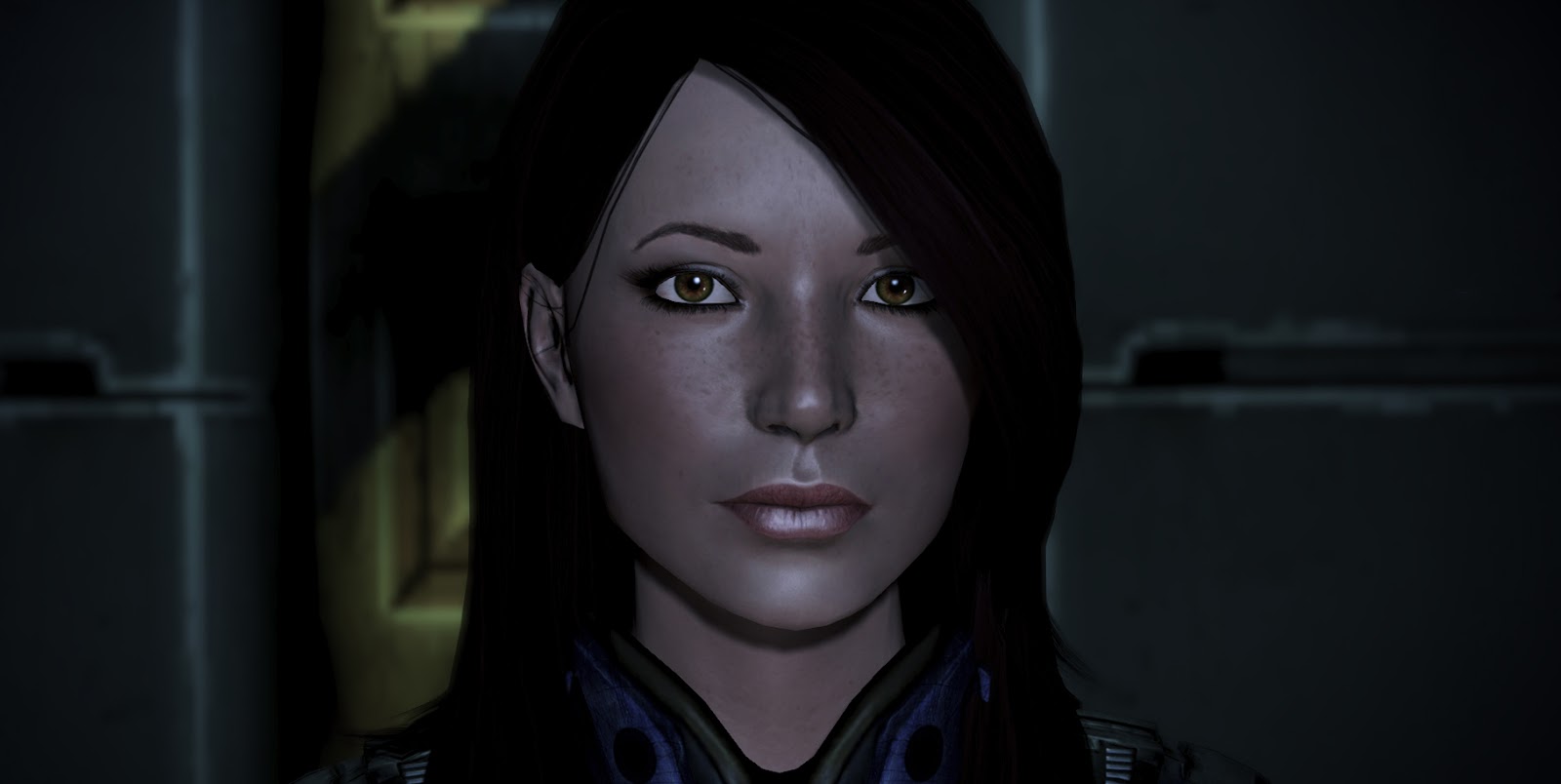
Update 07.15.2013 - This mod fits the default hair to a custom Shepard, with no need for LOD editing.
Dizzig on the Bioware Social Network was kind enough to provide the following info:
Open up your save in Gibbed and navigate to
Raw -> Player -> Appearance -> Headmorph -> LOD #0 Vertices
Open the collection and you'll see a crapton of numbers.
Default Jane Hair
Change the following where x/y:
250 = 5/2
251 = 6/1
252 = 5/1
253 = 4/2
254 = 3/2
255 = 3/1
256 = 1/1
257 = 1/2
269 = 0.5/5.5
270 = 1/5.5
271 = 1.5/5.5
287 = 3/4
288 = 4/4
289 = 5/3
290 = 4/3
291 = 2/4
292 = 3/3
293 = 1/4
300 = 2.5/5.5
330 = 1.5/4.5
331 = 2.5/4.5
340 = 1/4.5
355 = 5.5/1.5
356 = 6.5/1.5
357 = 3.5/1
358 = 3.5/1.5
369 = 2/4.5
1460 = 6.5/1.5
1461 = 6.5/0.860723436
1462 = 5.5/3.5
1463 = 4.5/4.5
1464 = 6.5/2.5
1465 = 3.5/5.5
1466 = 3.5/5.5
Additional tweaks from riesenwiesel:
Change the following x-values
415 = 4.9
416 = 5.2
417 = 4.7
418 = 2.7
419 = 1.7
420 = 3.9
Additional research from Skaldfish: link
And Cecilia L: "I subtracted 0.5 from Y value in 363-368 and that got rid of that small edge of scalp remaining on her right.
I also noticed Shepard's forehead becomes a little deformed when making the suggested corrections in 1460-1466. Nothing major, but seen from certain angles there is a big bump in her forehead under the hair. I found that only subtracting 0.5 from the original Y values (while leaving X alone) fixes the same things as before, but without affecting the forehead too much."
Allers Hair
Change the z-codes for the following to 175: 256 to 263, 302, 311, 338, 339, 360, 361, 362, 380 to 390, 480 to 485.
Sunday, June 30, 2013
Using Ashley, Miranda or Jack's hair on Femshep
With a functioning mesh importer this method is outdated.
Ashley's Hair Mod is located here: link
Jack's Hair Mod download: link
Miranda's Hair Mod download: link
Adding these hairs via the standard Gibbed method has some...interesting results. Here's a video if you're curious.
There is currently one work-around that I am aware of currently, and that's "wearing" the hair as a piece of armor.
This has a few drawbacks. One, it's inconvenient, and two, in cut scenes where Shepard is automatically loaded or forced into a casual appearance your poor Femshep will have lost her wig.
However, if you just don't care about suddenly bald Shep, or only want to have her look fab for certain parts of the game, keep reading.
The first thing you'll need to do is edit your coalesced.bin file. That's another tutorial in itself, so I'll save that for another day. Instead, here's mine: link
Ashley, Miranda and Jack hair are now three additional shoulder pieces.
Now, you can wear Shepard's regular armor without a shoulder, or you can do this:
The last slider for Legs and Arms are invisible pieces. Added to the Chest are fullbody armor appearances and casual appearances. Now Shep doesn't look like anything's missing.
Enchantment!
If you want to get creative, maybe adding the missing shoulder to the head slot so you can use the classic N7, you'll have to dive into editing your own coalesced.
...
So this is seriously inconvenient. A few keybindings make it less so.
Numpad 9 is forced armor. Hit it, save and re-load and Shepard will be in armor regardless of where she is.
A few times of Numpad 9 + F5 (autosave) + F9 (load last save) and it will be second nature.
...
It's possible to give Shepard hair and wear her 'shoulder-hair' on top so she never goes bald.
Possible combos: Cyberbabe + Miranda, PROCustomSexy + Ashley...
![]() |
| Allers + Ashley |
Last thing...
Even though you are wearing the hair as an armor,
you still need to change the Hair_Diff and Hair_Mask entries in Gibbed to match, or use a compatible hair diff. If you don't, it will look weird.
BIOG_HMF_HIR_PRO.Hair_PROMiranda.HMF_HIR_PROMiranda_Diff
BIOG_HMF_HIR_PRO.Hair_PROJack.HMF_HED_PROJack_Hair
BIOG_HMF_HIR_PRO.Hair_PROAshley.HMF_HIR_PROAshley_Diff
Mesh Names for reference:
BIOG_HMF_HIR_PRO.Hair_PROMiranda.HMF_HIR_PROMiranda_MDL
BIOG_HMF_HIR_PRO.Hair_PROJack.HMF_HIR_PROJack_MDL
BIOG_HMF_HIR_PRO.Hair_PROAshley.HMF_HIR_PROAshley_MDL
Basics: Modding Hair via Gibbed
If you've been reading my post on hair, you'll notice each one has 2 lines of code associated with them. You'll need these to change your Shepard's hair via Gibbed.
Where do they go?!
Open up the save you want to edit and navigate over to the "Raw" tab. Click
Player -> Appearance -> Head Morph
This is what we're interested in.
"Hair Mesh" is where you enter the 1st line (it ends in the suffix -MDL)
Open "Texture Parameters" by clicking the box that looks like this [...]
and a second window will open.
HAIR_Diff and HAIR_Mask is where the 2nd line goes (it ends in the suffix -Diff)
Hit okay to close the texture window, save your changes and you're done.
Where do they go?!
Open up the save you want to edit and navigate over to the "Raw" tab. Click
Player -> Appearance -> Head Morph
This is what we're interested in.
Open "Texture Parameters" by clicking the box that looks like this [...]
and a second window will open.
HAIR_Diff and HAIR_Mask is where the 2nd line goes (it ends in the suffix -Diff)
Hit okay to close the texture window, save your changes and you're done.
Scalar, Vector, Texture
This is where you can do some interesting things like give Shepard glossy lips.
Open your save in Gibbed.
Click over to "Raw"-> Player -> Appearance -> Headmorph
Scalar Parameters
Click the [...] button to the right of (Collection) next to Scalar Parameters to open up a 2nd window.
A list of useful values and what they mean:
HED_Blush_Scalar - Controls blush transparency. Zero will be nothing, one will be quite heavy. Anything higher and you're probably heading into clown territory, depending on what color your blush is (more on color selection later.)
HED_Addn_Spec_Lips_Scalar
HED_Addn_SPwr_Lips_Scalar - Together these two control lip shine. For example in the picture above I have the first set at "10" and the second set at "100". Zero for both means no extra shine.
HED_Addn_Blowout_Scalar - How dark custom eyebrows are saturated with color. Default femshep won't be affected because her eyebrows are painted on her face, but this can be used on any character creator femshep. "0.5" will be very thin brows - "1.5" will be very dark.
HED_Lips_Tint_Scalar - Controls lip color transparency. Same as blush, zero is nothing - one is about normal and anything higher is subjective.
HED_EyeShadow_Tint_Scalar - eyeliner heaviness
HED_Brow_Tint_Scalar - eyeshadow heaviness
In ME3 both will be much lighter than in previous games, and the eyeliner is less defined. The ME3_legacy_makeupmask.tpf I have in my default femshep download will return it to its previous appearance. The texture overhaul also includes a modified version.
HED_SPwr_Scalar - How much light Shepard's face emits, for lack of a better descriptor. Higher values will make her glow more.
Hightlight1Intensity - How much hair highlight color 1 shows/shininess
Hightlight2Intensity - How much hair highlight color 2 shows/shininess
Vector Parameters (aka color values)
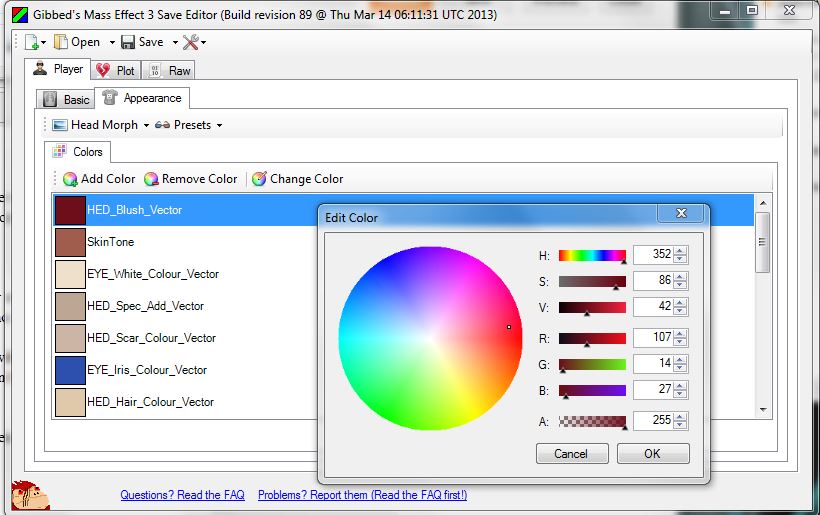
ME3 Gibbed has a user friendly color interface that comes up in the Appearance tab. Click the value you want to edit and the Change Color button to bring up the color wheel.
HED_Blush_Vector - Blush color
SkinTone - Skin Color
EYE_White_Colour_Vector - Eye color (area around the iris)
EYE_Iris_Colour_Vector - Eye color (iris)
HED_Hair_Colour_Vector - Base hair color
HED_Addn_Colour_Vector - Eyebrow color
HED_Lips_Tint_Vector - Lipstick color
HED_EyeShadow_Tint_Vector - Eyeliner color
HED_Brow_Tint_Vector - Eyeshadow color
Highlight1Color - Hair highlight color
Highlight2Color - 2nd hair highlight color
The old way...also useful for transferring values from ME2 save editor.
Opening "Vector Parameters" (Collection) in the "Raw" tab will bring up the RGB number values.
Texture Parameters
This is where you specify which textures (such as diffuse, spec, and normal maps) are used on Shepard. A list of mined values is HERE.
Diffuse: The visible flat texture most people think of when they are thinking about game textures
Spec: Controls how light reflects and interacts with an object
Normal: Adds depth and surface detail
Mask: Looks black and white, determines where color is visible or transparent, like on eyelashes. Think of it like a stencil.
HED_Scalp_Diff - Scalp diffuse
HED_Scalp_Norm - Scalp normal map (also known as a bump map)
HAIR_Diff - Hair diffuse
HED_Diff - Face diffuse
HED_Lash_Diff - Eyelash mask
HED_Norm - Face normal map
HED_Makeup_Mask - Makeup mask
HAIR_Mask - Hair mask
HED_Brow - Eyebrow mask
For a nice visual guide to makeup, color, and eyebrows check out this blog by Corora: link
Using Gibbed's Save Editor to Import a Custom Headmorph
Let's start with the basics. How to import a headmorph into your Mass Effect 3 save game.
Headmorphs let you swap appearances between save games and you'll recognize them by the file extension .me3headmorph.
Download the latest version of Gibbed's ME3 Savegame Editor.
Open up Gibbed's save editor and you will see a row of buttons and 2 rows of tabs.
1. Hit "Open" and load the save game you want to edit.
2. Navigate to the "Appearance" tab in the bottom row of tabs, next to "Basic".
3. There will be 2 drop-down menus: "Head Morph" and "Presets"
Click "Head Morph" and you will see two options, click "Import from File..."
A navigation window will open for you to find your desired head morph.
In the case of my customized Femshep it will be "ELE_defem_brunette.me3headmorph"
or just "ELE_defem_brunette" if you don't have file extensions visible.
Select it and hit "Open"
Now at the top of Gibbed, hit "Save" and either create a new save file or overwrite your existing one. It's always a good idea to make a new one if your not sure of the results of your tweaks.
If you load up your save in Mass Effect 3, your Shepard should have new face.
Headmorphs let you swap appearances between save games and you'll recognize them by the file extension .me3headmorph.
Download the latest version of Gibbed's ME3 Savegame Editor.
Open up Gibbed's save editor and you will see a row of buttons and 2 rows of tabs.
1. Hit "Open" and load the save game you want to edit.
2. Navigate to the "Appearance" tab in the bottom row of tabs, next to "Basic".
3. There will be 2 drop-down menus: "Head Morph" and "Presets"
Click "Head Morph" and you will see two options, click "Import from File..."
A navigation window will open for you to find your desired head morph.
In the case of my customized Femshep it will be "ELE_defem_brunette.me3headmorph"
or just "ELE_defem_brunette" if you don't have file extensions visible.
Select it and hit "Open"
Now at the top of Gibbed, hit "Save" and either create a new save file or overwrite your existing one. It's always a good idea to make a new one if your not sure of the results of your tweaks.
If you load up your save in Mass Effect 3, your Shepard should have new face.
Mass Effect 3: List of Moddable Hairstyles
If you don't know how to change hairstyles using Gibbed's Savegame Editor, go here first.
Hairstyles that require no extra modding.
*Technically it's a lack of hair, but if you want bald Shepard type "none" into the Hair Mesh entry of Gibbed.
Hairstyles that require no extra modding.
BIOG_HMF_HIR_PRO.Hair_Sexy.HMF_HIR_Sxy_MDL
BIOG_HMF_HIR_PRO.Hair_Sexy.HMF_HIR_Sxy_Diff
BIOG_HMF_HIR_PRO.Hair_Afro.HMF_HIR_Afr_MDL
BIOG_HMF_HIR_PRO.Hair_Afro.HMF_HIR_Afr_Diff
BIOG_HMF_HIR_PRO.Hair_Classy.HMF_HIR_Cls_MDL
BIOG_HMF_HIR_PRO.Global.HAIR_Long_Diff
BIOG_HMF_HIR_PRO.Hair_Cyberbabe.HMF_HIR_Cyb_MDL
BIOG_HMF_HIR_PRO.Global.HAIR_Long_Diff
BIOG_HMF_HIR_PRO.Hair_Mom.HMF_HIR_Mom_MDL
BIOG_HMF_HIR_PRO.Hair_Mom.HMF_HIR_Mom_Diff
BIOG_HMF_HIR_PRO.Hair_Cute.HMF_HIR_Cte_MDL
BIOG_HMF_HIR_PRO.Hair_Cute.HMF_HIR_Cte_Diff
BIOG_HMF_HIR_PRO.Hair_PonyTail.HMF_HIR_Ptl_MDL
BIOG_HMF_HIR_PRO.Hair_PonyTail.HMF_HIR_Ptl_Diff
BIOG_HMF_HIR_PRO.Hair_HighBun.HMF_HIR_Hbn_MDL
BIOG_HMF_HIR_PRO.Hair_HighBun.HMF_HIR_Hbn_Diff
BIOG_HMF_HIR_PRO.Hair_Iconbun.HMF_HIR_IBun_MDL
BIOG_HMF_HIR_PRO.Hair_Iconbun.HMF_HIR_IBun_Diff
BIOG_HMF_HIR_PRO.Hair_LowBun.HMF_HIR_Lbn_MDL
BIOG_HMF_HIR_PRO.Hair_HighBun.HMF_HIR_Hbn_Diff
BIOG_HMF_HIR_PRO.Hair_MidBun.HMF_HIR_Mbn_MDL
BIOG_HMF_HIR_PRO.Hair_MidBun.HMF_HIR_Mbn_Diff
biog_hmf_hir_pro.Hair_Pulled.HMF_HIR_Pulled_MDL
biog_hmf_hir_pro.Hair_MidBun.HMF_HIR_Mbn_Diff
(hair minus the bun)
BIOG_HMF_HIR_PRO.Hair_PROCustomSexy.HMF_HIR_PROCustom_Sexy_MDL
BIOG_HMF_HIR_PRO.Hair_Sexy.HMF_HIR_Sxy_Diff
Hairstyles which may require extra modding.
BIOG_HMF_HIR_PRO.Hair_PROShepard.HMF_HIR_PROShepard_MDL
BIOG_HMF_HIR_PRO.Global.HAIR_Long_Diff
On a character creator made custom femshep this hair will clip through the forehead rather extensively. Click for the fix.
BIOG_HMF_HIR_PRO.Hair_PROJessica.HMF_HIR_PROJessica_MDL
BIOG_HMF_HIR_PRO.Global.HAIR_Long_Diff
On a character creator made custom femshep there will be a gap down the hairline. Click for the fix.
BIOG_HMF_HIR_PRO.Hair_PROCustomCute.HMF_HIR_PROCustom_Cute_MDL
BIOG_HMF_HIR_PRO.Hair_Short02.HMF_HIR_PROShort_Diff
This hair was placed in the game unfinished. Texmod fix required: link
BIOG_HMF_HIR_PRO.Hair_VI.HMF_HIR_VI_MDL
BIOG_HMF_HIR_PRO.Hair_Short02.HMF_HIR_PROShort_Diff
This hair was also placed in the game files with unusable textures. Texmod fix required: link
BIOG_HMF_HIR_PRO.Hair_PROJessica.HMF_HIR_PROJessica_MDL
BIOG_HMF_HIR_PRO.Global.HAIR_Long_Diff
This mod will replace Aller's hair with Brooks' hair from the Citadel DLC: link
Hairstyles unfinished or not optimized for use on Shepard.
BIOG_HMF_HIR_PRO.Hair_PROEva.HMF_HIR_PROEva_MDL
BIOG_HMF_HIR_PRO.Hair_PROEva.HMF_HIR_PROEdi_Diff
BIOG_HMF_HIR_PRO.Hair_PROCustomAfro.HMF_HIR_PROCustom_Afr_MDL
BIOG_HMF_HIR_PRO.Hair_Mohawk.HMF_HIR_Mhk_MDL
BIOG_HMM_HIR_PRO_R.Hair_James.HMM_HIR_James_Diff
BIOG_HMF_HIR_PRO.Hair_Short02.HMF_HIR_PROShort_MDL
BIOG_HMF_HIR_PRO.Hair_Short02.HMF_HIR_PROShort_Diff
Jack, Ashley, Miranda...
These models have additional issues which means they can't be added normally via Gibbed. Follow the link for the work-around: here
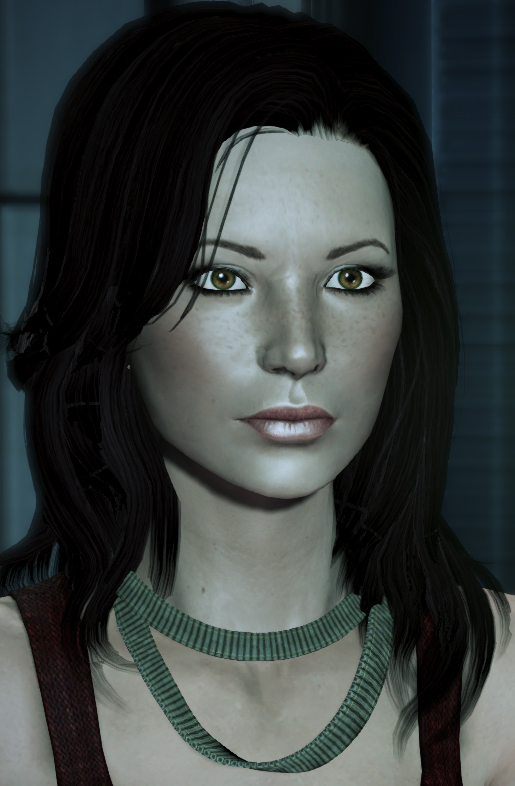
*Technically it's a lack of hair, but if you want bald Shepard type "none" into the Hair Mesh entry of Gibbed.
Mass Effect 3: Femshep Modding Tutorials
A guide to customizing your character.
This is intended to be part modder's resource, part tutorial for customizing your female Commander Shepard (from here forth endearingly referred to as Femshep.)
I will be using my customized default Femshep as an example, but the techniques contained here can be applied to any custom character.
Part 1. Importing a headmorph into your game.
Part 2. Editing Your Custom Shepard
Hair - modding in different hairstyles
Scalar, Vector, Texture - color and texture
Part 3. Texmod is your friend.
Part 4. Lists and more lists. Values to use in Gibbed.
***
Download all the files needed to use my customized default Jane in your game here.
*I had a request for a version w/o eyebrows so ones from the CC can be used: alternate tpf is here.
This is intended to be part modder's resource, part tutorial for customizing your female Commander Shepard (from here forth endearingly referred to as Femshep.)
I will be using my customized default Femshep as an example, but the techniques contained here can be applied to any custom character.
Part 1. Importing a headmorph into your game.
Part 2. Editing Your Custom Shepard
Hair - modding in different hairstyles
Scalar, Vector, Texture - color and texture
Part 3. Texmod is your friend.
Part 4. Lists and more lists. Values to use in Gibbed.
***
Download all the files needed to use my customized default Jane in your game here.
*I had a request for a version w/o eyebrows so ones from the CC can be used: alternate tpf is here.
Subscribe to:
Posts (Atom)